
how it works
A sniq is a photo with sound. These are the six steps, and there is no seventh.
01
point
Like any camera.
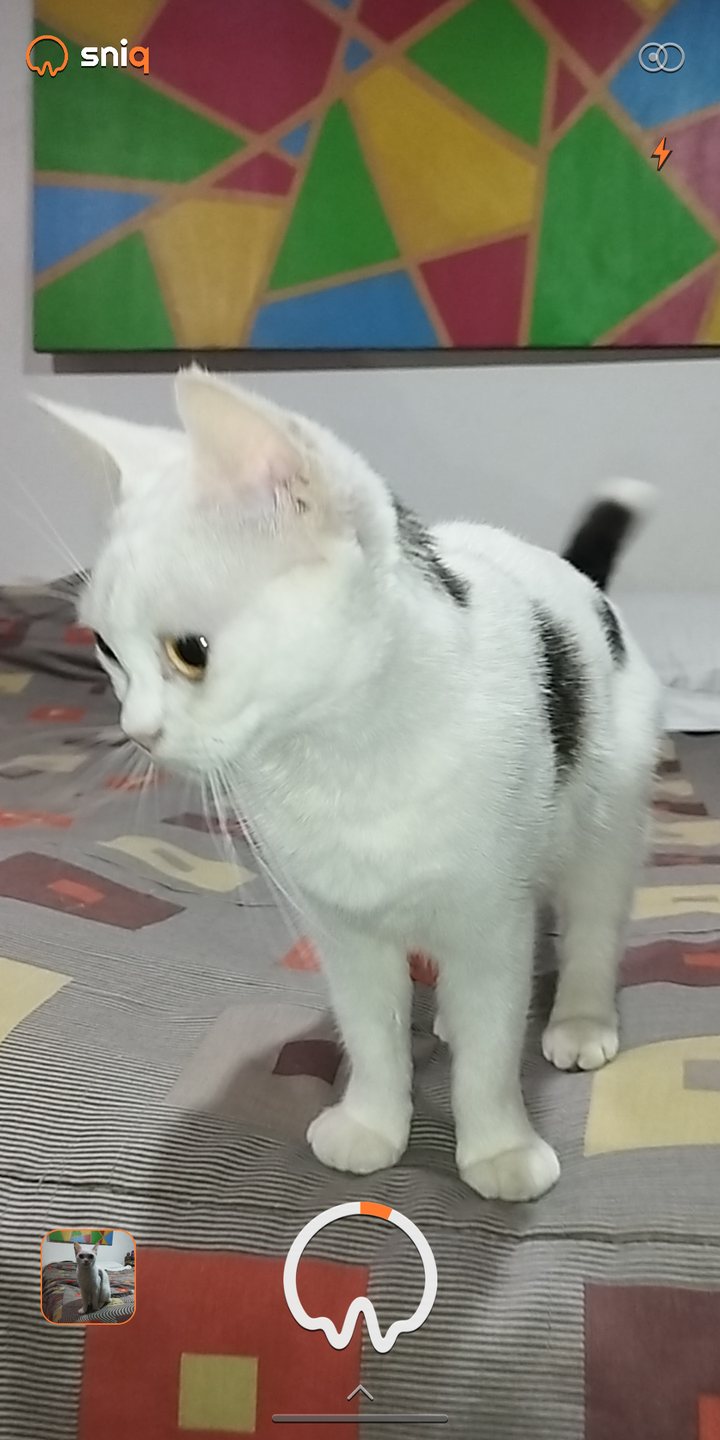
You open Sniq and you see what is in front of you. From that moment the microphone is already listening, but nothing is being saved yet: the sound lives for a few seconds in memory and overwrites itself.
02
the light and the other camera
Top right, that is all.
The two lenses turn the camera around, and the bolt lights the torch for the dark end of the table, and it stays on until you put it out. Tap anywhere to focus, pinch to get closer: the camera settles the rest on its own.
03
shoot
One tap, and that is it.
The ring takes the photo and keeps two seconds of sound, including the ones from before you pressed. The orange arc riding it is what the microphone can hear right now. Hold it down and the three and five second timer appears.
04
adjust, if you want
You almost never need to.
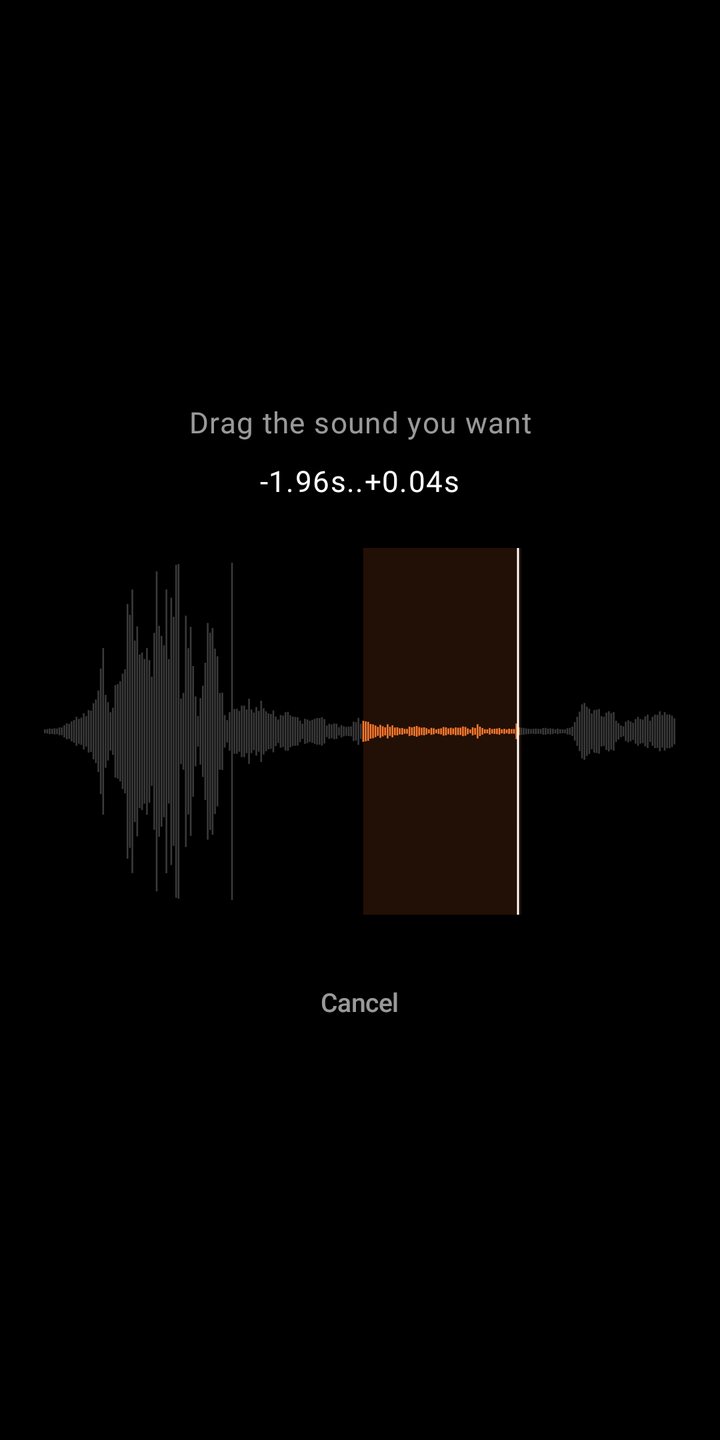
The two seconds pick themselves: out of everything the microphone had been hearing, Sniq keeps the stretch with something in it. If that was not the one, you drag the orange window over the waveform to the sound that was.
05
all your sniqs
In order, each with its wave.
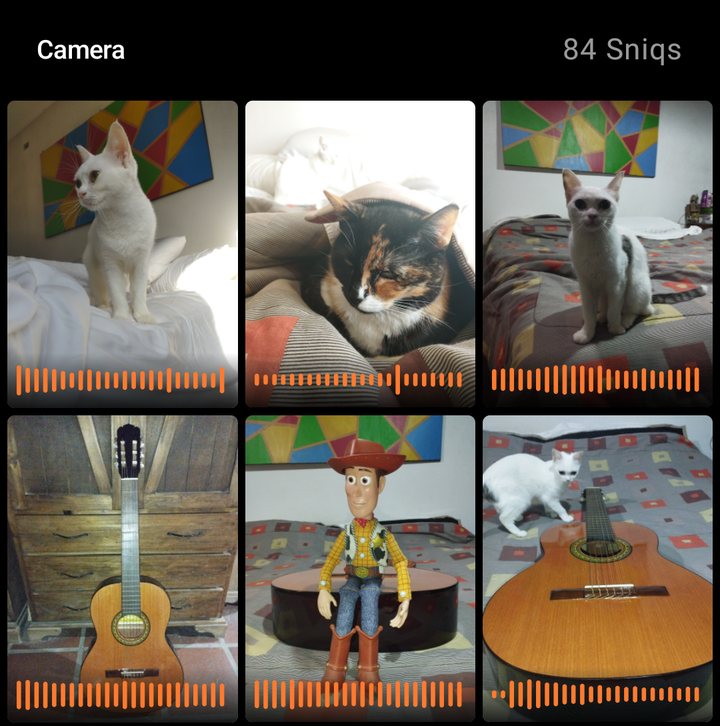
Every sniq is kept on the phone, with the orange band that shows how it sounds. From there you open whichever you want, and there is also a copy in the system gallery so other apps can find it.
06
share it
And it arrives sounding.
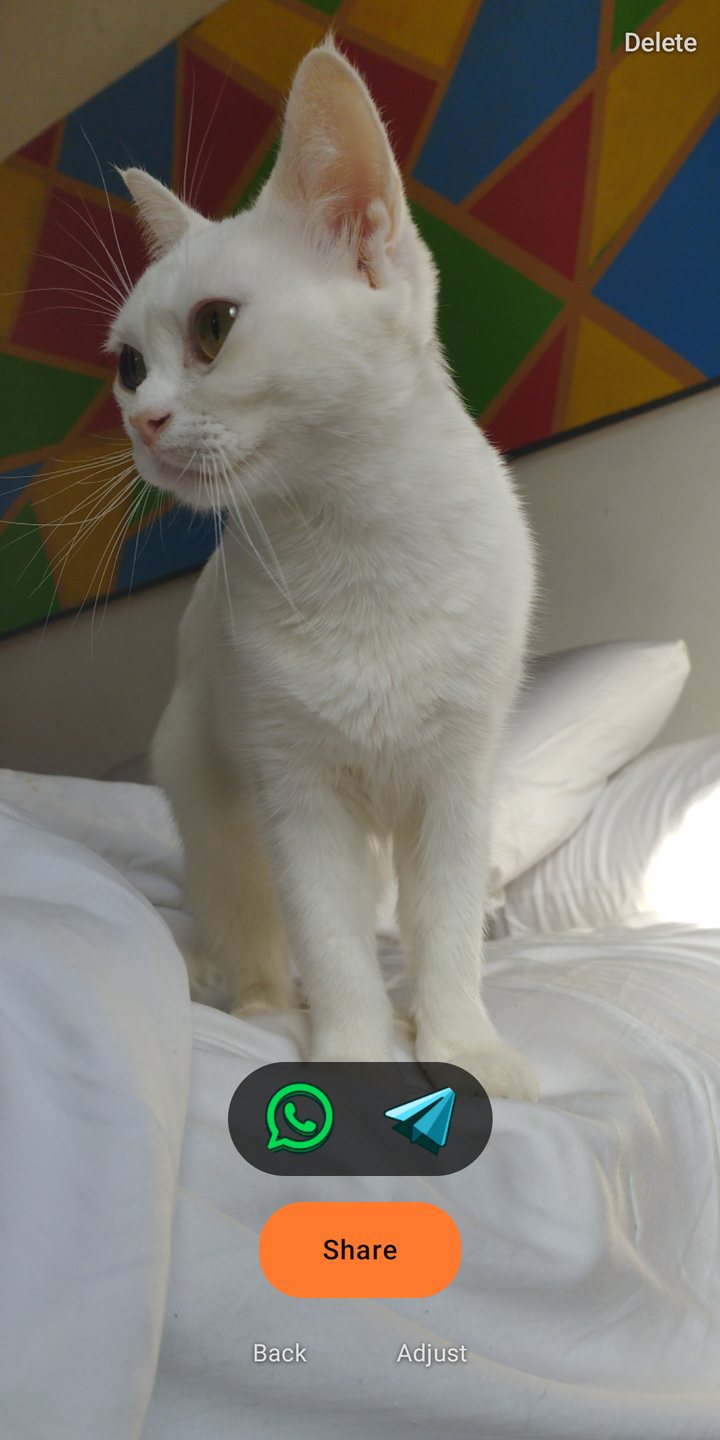
WhatsApp and Telegram are one tap away, and the orange button opens the Android menu to send it wherever you use. The sound travels inside the file, so it plays on the other person's phone even if they do not have Sniq.
is it a video?
The container is. The content is not.
What you share is an mp4, so any app treats it as a video and that is why it sounds wherever it lands. But what you look at is a still photo: there are no two seconds of moving image, there is a photo and the sound around it.
it works with no internet
And it is not a setting you can switch off.
Sniq does not request Android's internet permission, so the system will not let it open any connection. It is an offline camera in the literal sense: in airplane mode, on the subway, out in the country. Your sniqs stay on the phone and you send them whenever you want.
what the microphone does
It listens while the camera is open, and nothing else. That audio lives only in memory, overwrites itself, and is discarded when you leave the screen. Nothing is saved until you press the shutter, and nothing leaves your phone unless you send it. It is all in privacy.
what it costs
Nothing.
Free, no account, no sign up and no ads. There is no analytics and no third party services either: Sniq never asks who you are and has no way of knowing. It needs Android 8 or newer.
developed byMatiCepe
Took one worth hearing?
hola@sniq.app
If you let me, it might land here.